
One ledger. Zero re-keying.
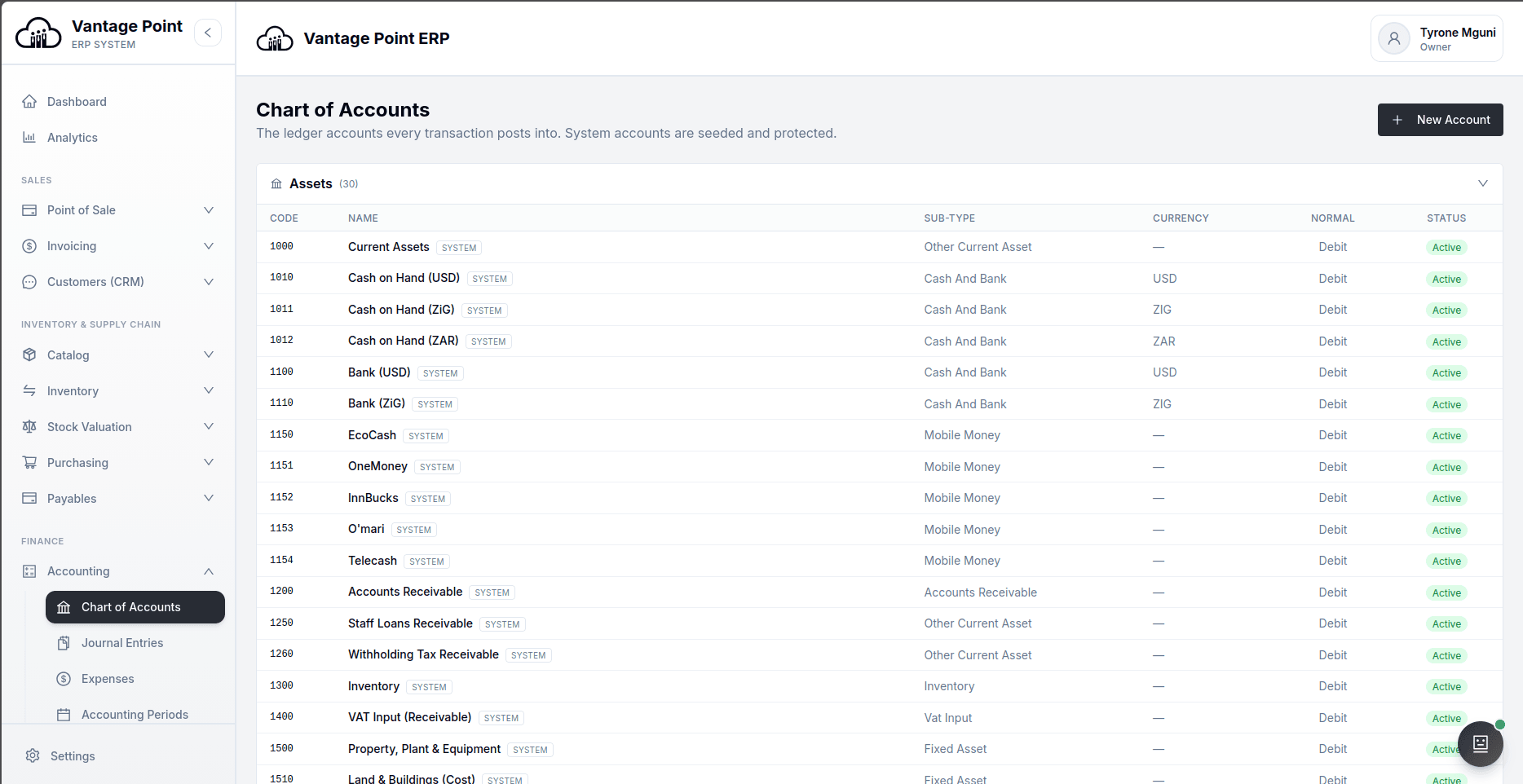
A full double-entry general ledger that every other module posts into automatically, with the statement set, budgeting, fixed assets and IFRS instruments on top of it.
Accounting software where the ledger writes itself as you trade
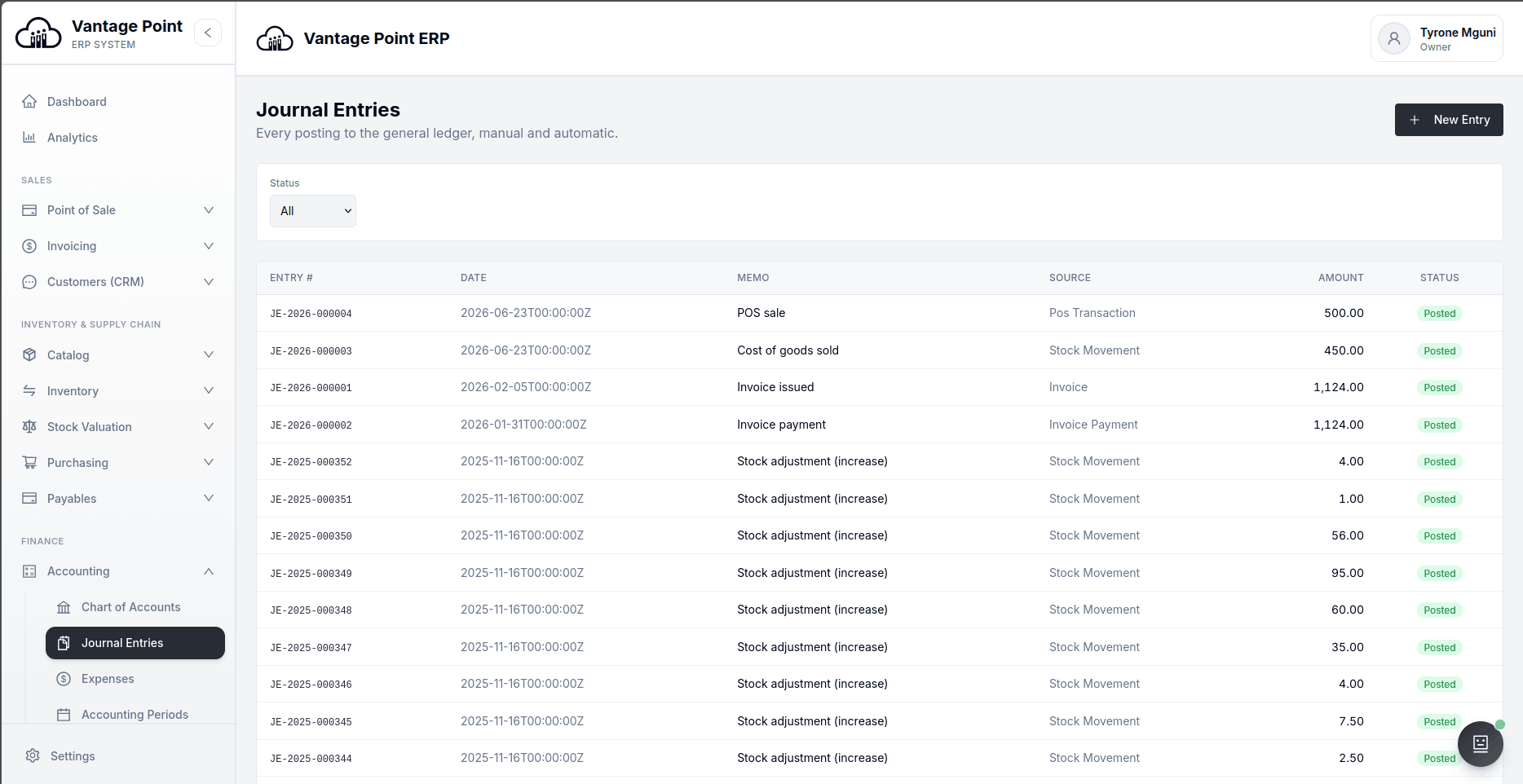
In most businesses the accounting happens twice. The first time is the trading — the sale, the delivery, the purchase, the payment. The second time is somebody sitting down weeks later and turning records of that trading into journal entries. The second pass is where the errors, the delay and most of the cost live. Vantage Point removes it: every module posts into the same double-entry general ledger as the work is done, so the books are being kept while you trade rather than reconstructed afterwards.
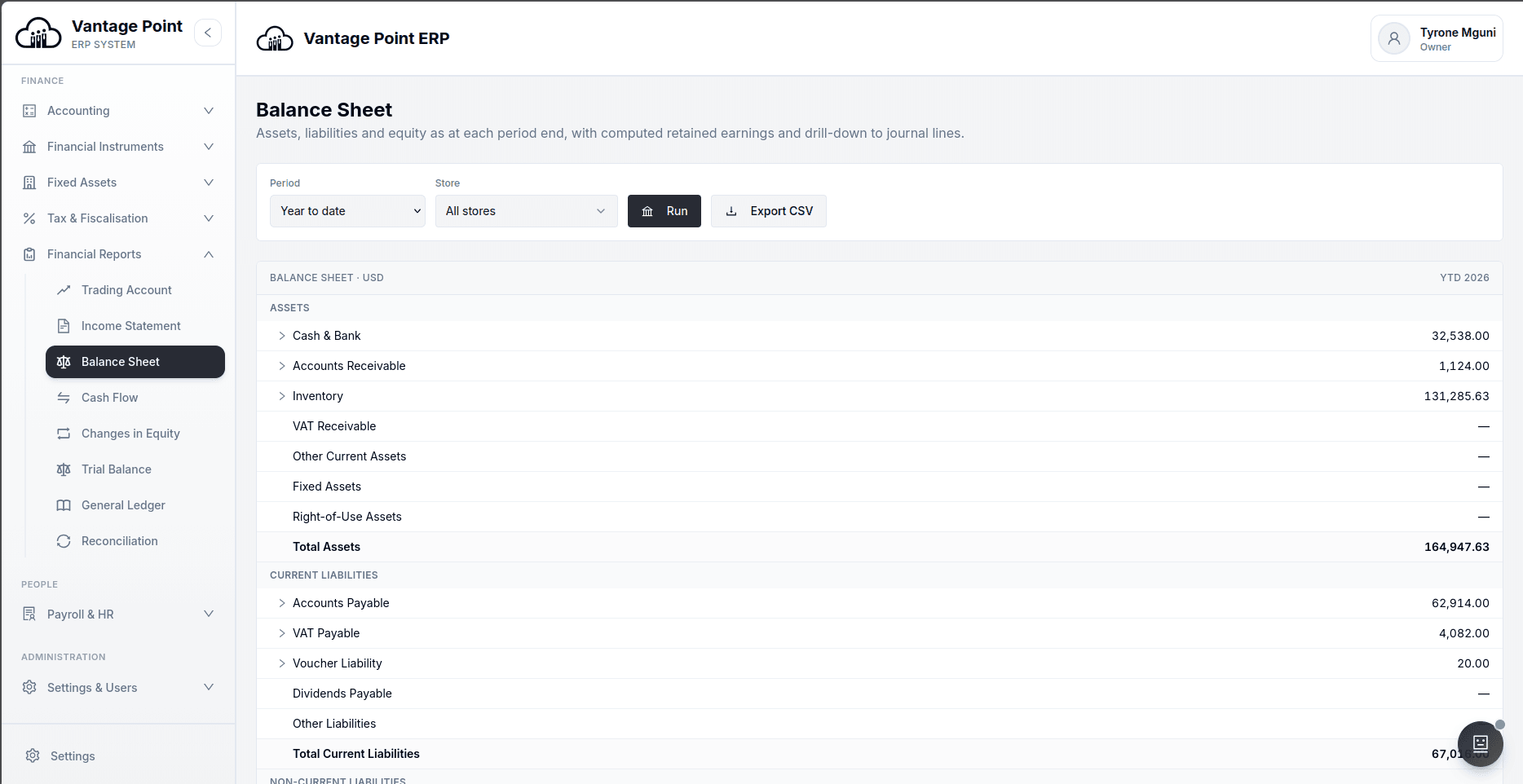
What that leaves for a finance team is review rather than capture. The full statement set — trading account, income statement, balance sheet, cash flow statement and statement of changes in equity — is drawn live, with comparative periods side by side and export where you need it. Every report line drills back to the entries behind it, so a figure that looks wrong can be traced to its source in a few clicks instead of being investigated as a project.
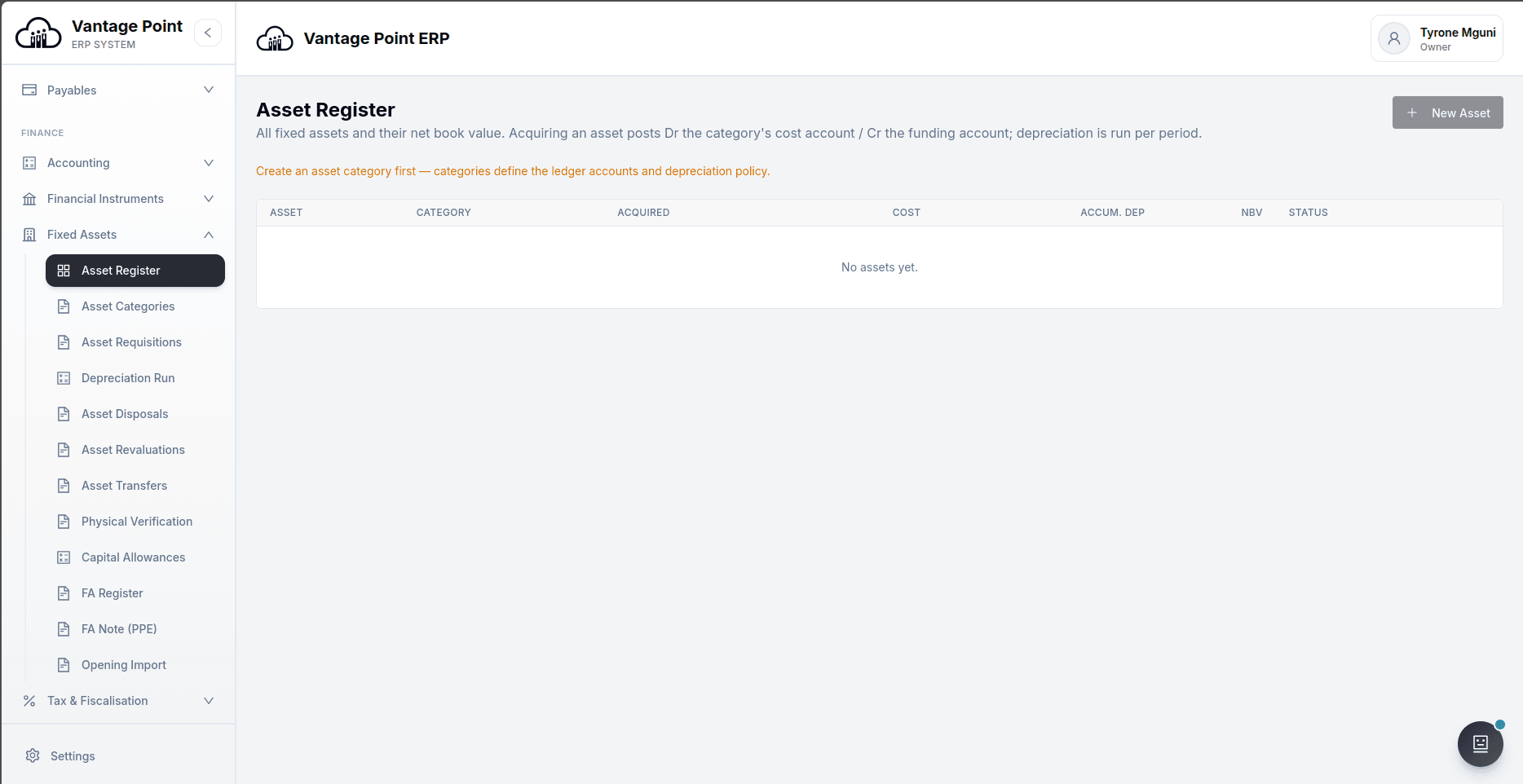
Around the ledger sit the things a growing business eventually needs and usually bolts on badly: bank reconciliation against an imported statement, budgets by department and period with a commitment ledger behind them, a fixed asset register with depreciation runs, revaluations and disposals, and accounting periods with opening balances and take-on tools for moving cleanly off an old system. Both United States dollars and ZiG are handled from one rate store, with revaluation keeping foreign balances true at period end.
Closing the month is where most finance teams lose their week, and almost everywhere it is run off a spreadsheet with a column of initials in it. Vantage Point turns that list into something the whole team can see: every job with an owner, a due date counted in working days, and the jobs it has to wait for. The difference from the close tools sold beside other accounting systems is that ours sits inside the ledger rather than reading a copy of it — so before a job is ticked, the system goes and looks. Whether the bank agrees, whether every till session is closed, whether payroll is posted, whether depreciation has been run, whether every receipt reached ZIMRA. A job whose check has not passed can still be ticked, but only with a written reason and a name against it, which is what an auditor reads later. And if somebody posts into the month after a job was ticked, that job goes amber by itself rather than quietly staying green.
Around that checklist sit the four things that actually take the week. Repeating journals, typed once instead of twelve times a year. A year of insurance put in the months it belongs to. Head office costs shared across the branches by a measurement you choose, in an order you state. And the last question anybody asks — why is this figure different from last month's — flagged only where it is big in both proportion and money, assigned to the account's owner, and written down where it can be found again. One screen says where the close is and who is holding it up, and every month you have ever closed is kept rather than deleted when it finishes.
The books, kept as you trade.
Most of your journal writes itself. You review, reconcile and close instead of capturing — and every report line drills back to the entries behind it. At month end the close is a shared checklist that checks its own work, not a spreadsheet with a column of initials: the repeating entries are already prepared, a year of insurance is already sitting in the right months, the head office costs are already shared across the branches, and every balance-sheet account has somebody's name against it. One screen tells you where the close is and who is holding it up, and it remembers every month you have ever closed.
Accounting & Reports, asked and answered.
Do I still need to capture journals by hand?
Rarely. Sales, purchases, stock movements, payroll and fiscal transactions post themselves as they happen. Manual journals remain available for genuine adjustments, and every posting — automatic or manual — is numbered and can be drilled into.
Which financial statements does it produce?
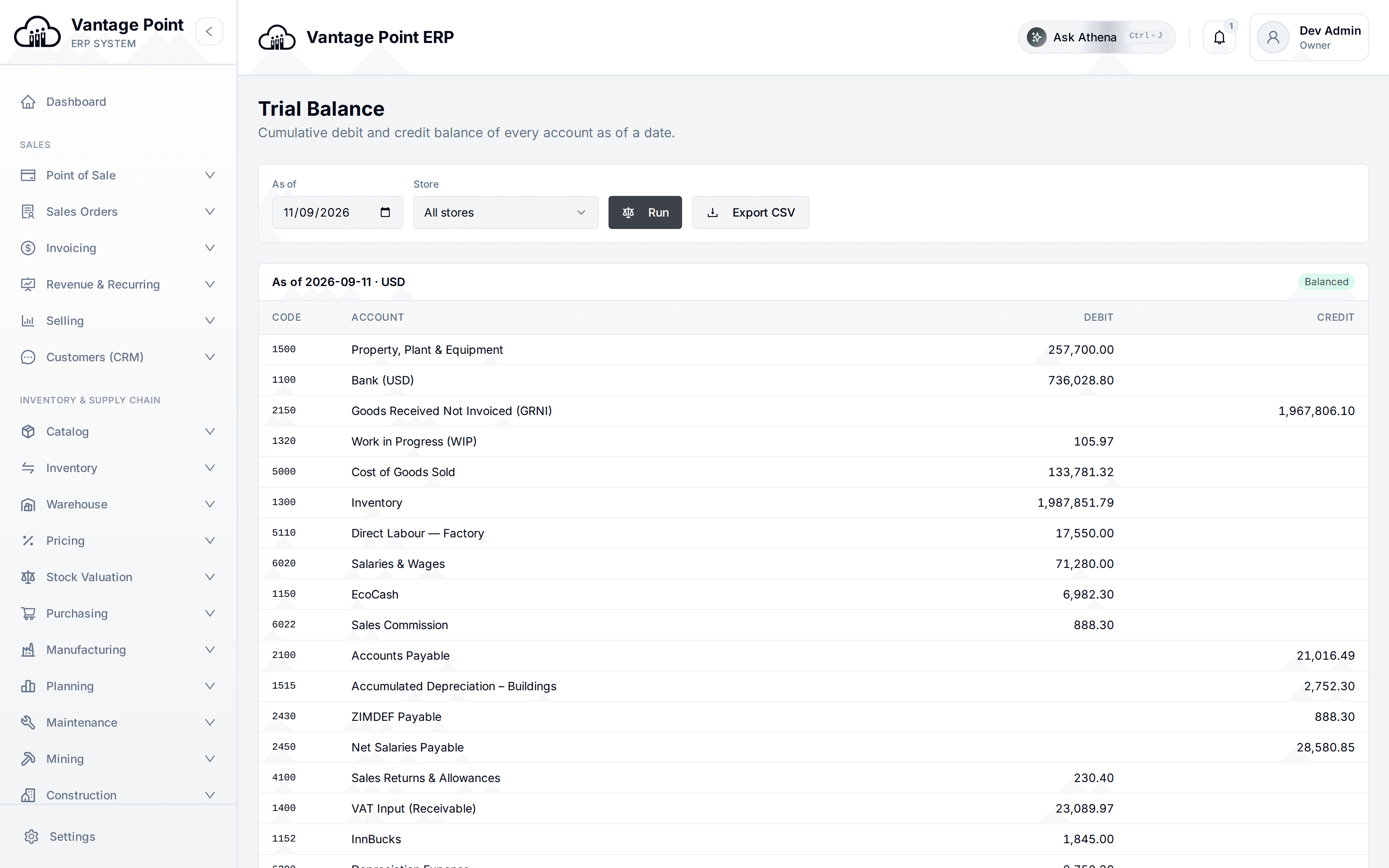
The trading account, income statement, balance sheet, cash flow statement and statement of changes in equity, together with the trial balance and general ledger listings an external accountant will ask for. All are drawn live rather than assembled at month-end.
Does it handle both United States dollars and ZiG?
Yes. Both are handled throughout from a single exchange rate store, and period-end revaluation keeps foreign-currency balances stated correctly rather than at whatever rate applied when they were first recorded.
Can I reconcile the bank?
Yes. Import a bank statement, match it against ledger entries, book charges and interest that were not already recorded, and certify the reconciliation when the difference is zero.
Can I budget by department?
Yes. Budgets are set by department and period and sit on a commitment ledger, so money that has been committed but not yet spent is visible. Control rules, transfers between budgets, revisions and burn-rate reporting are all included.
How does month-end closing work?
The system ships with a month-end checklist of over twenty jobs already written — sales, purchases, stock, bank, payroll, assets and tax — which you can edit to match how your own month runs. Each job has an owner, a due date counted in working days from the month end, and the jobs it has to wait for. Most of them check themselves against your live figures and show what they found, so a tick means the work was done rather than that somebody said it was.
What happens if a job is ticked when it should not be?
A job whose automatic check has not passed can still be ticked, but only with a written reason, and the reason and the person's name stay on the close. A hard block is what makes people push a difference into a sundry account to get past it — at which point the information is gone. And if somebody posts into the month after a job was ticked, that job is marked as out of date on the board, with what changed and when.
Do I have to retype the same journal every month?
No. Rent, a management charge, a standing accrual — anything you would otherwise type out twelve times a year is set up once and prepared for you each period. The figure can be a fixed amount, a share of a yearly total, a percentage of another account's movement, or the same as that account moved last period. By default a person looks at the figures before they reach the ledger; a journal can be allowed to post by itself, and that permission is signed for once and taken away again by any edit that changes an account, a side or a figure.
What about a year of insurance paid in January?
That is not a January cost, and the system will not treat it as one. Set it up once, say what it covers and over which dates, and each month gets its own share — split equally, or by days so a policy starting on the 17th gives a part first month. The same applies to money a customer has paid you for work not yet done, and to a cost you have used but not yet been billed for. Each month the account these wait in is proved against the list of things inside it, to the cent.
How do I know the balance sheet is right?
Every thing you own and every thing you owe gets a named owner, a stated way of proving it, and a schedule behind it that has to add up to the ledger. If it does not add up, the difference is shown and the signature is refused until somebody writes a sentence saying what it is. A second person is required and cannot be the first — unless you are a finance team of one, in which case you turn that off deliberately and the change is recorded. Accounts that are genuinely empty sign themselves and say which rule did it, so the list a person actually reads is short.
Does depreciation follow my policy or yours?
Yours. You choose how the first year is charged — by days from the date it went into use, a whole month, half a year, a full year, or nothing at all — and how the period it is sold in is charged, separately. A reducing-balance rate can apply to the value at the start of the year, which is what a policy document usually means, or at the start of each month. Any asset can differ from its class. Your whole policy reads back to you as one sentence, so nobody has to open four dropdowns to find out what it is.
One electricity bill, four branches. How do I get it onto the right ones?
Set the rule up once and it runs every month. The split can be shares you write, an even split, a measurement — floor area, headcount, machine hours, deliveries, what each one sold — or what each one actually spent. Where support departments serve each other, you say which is shared out first, because a different order gives a different answer and the order is shown on the screen rather than hidden. It never changes the company's profit by a cent; it only moves which report carries the cost.
Somebody will ask why repairs doubled. Where is the answer kept?
Against the account and the month, so next year it sits beside the same month's figure. A movement is only flagged when it is big in proportion AND big in money — both, because a percentage alone flags the stationery account that went from four dollars to forty, and a money figure alone misses the small account that quadrupled. Each flagged line comes with the entries that caused it, biggest first, with anything unusual marked: an entry larger than the whole of last month, one made after the month ended, a supplier never used before.
How do I know where the close has got to without asking everybody?
One screen. How many jobs are done, with jobs marked not needed counted separately rather than folded in; who has the most still open, which is usually a resourcing fact rather than a performance one; every automatic check, red or green, with its figures; and how many working days you are into your own target. Every month you have ever closed is kept, so you can see whether it is getting faster, which jobs are always late, and how often a job was ticked with a written reason instead of a passing check. One of those is a judgement. A column of them is worth a conversation.
Can the close status reach me without my opening the system?
Yes. Every one of these is a report that can be emailed on a schedule — the board as a document, the accounts still unproved, what is sitting unexplained in a schedule and how old it is, the movements and their answers, and the month-end pack. Reminders go to the person who owns a job, and only to their manager once it is late, because a control that copies everybody in on everything is a control nobody reads. WhatsApp reminds; it does not let anybody tick a job from a phone, because a tick should be made where the figures are visible.
Can I move opening balances across from my current system?
Yes. Accounting periods, opening balances and backfill tools exist for exactly this, so a changeover starts from a balanced position rather than from a set of numbers typed in and hoped for.
The rest of the system.
ONE LEDGER UNDERNEATH IT ALLTake the high ground.
Set up your first store, till and ledger in an afternoon.