
Every unit, and where it is.
Live stock across every store and warehouse, down to the bin, the batch and the serial number — with counts, transfers, scanning and FIFO valuation that all post to the ledger.
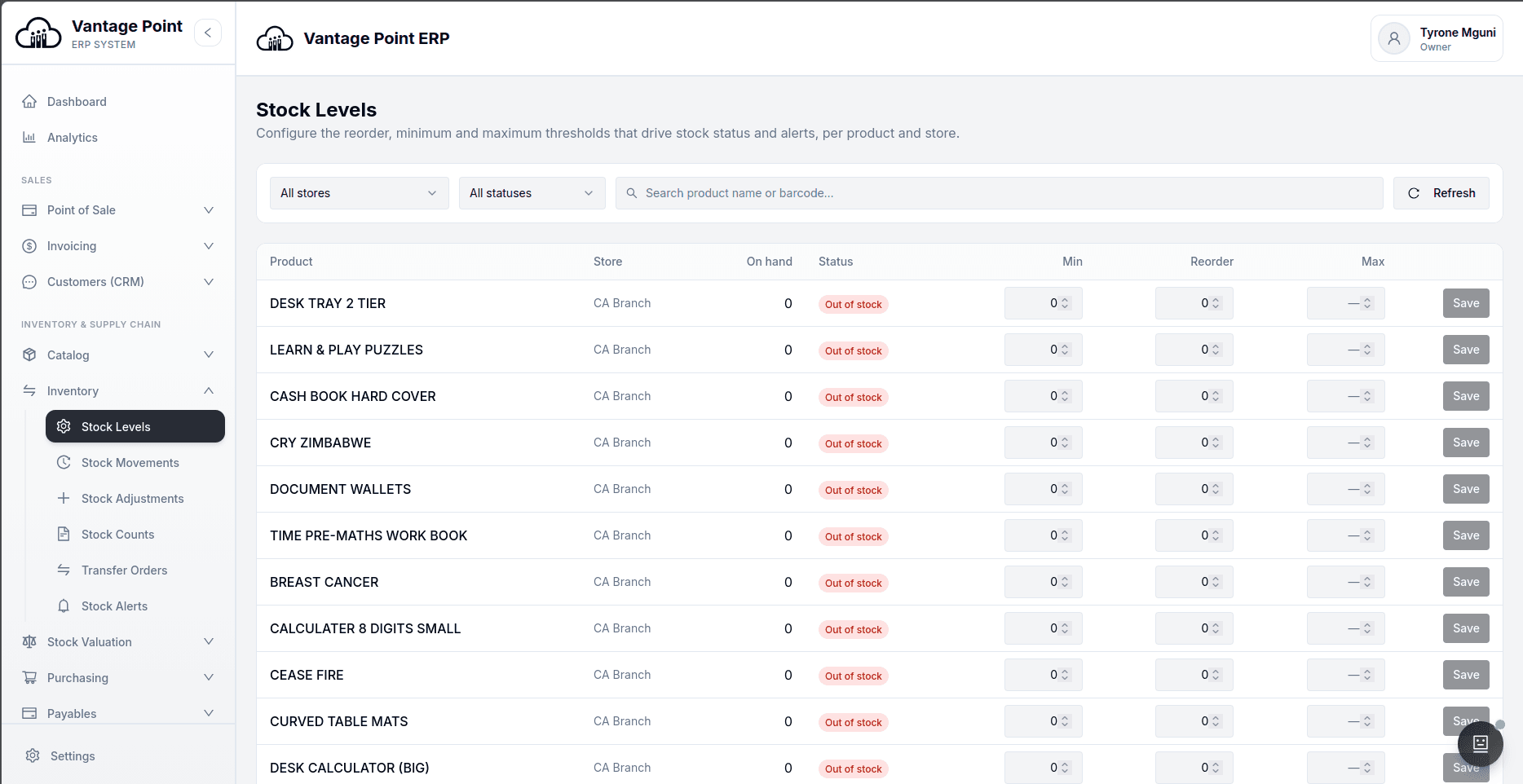
Inventory and warehouse management, down to the bin and the batch
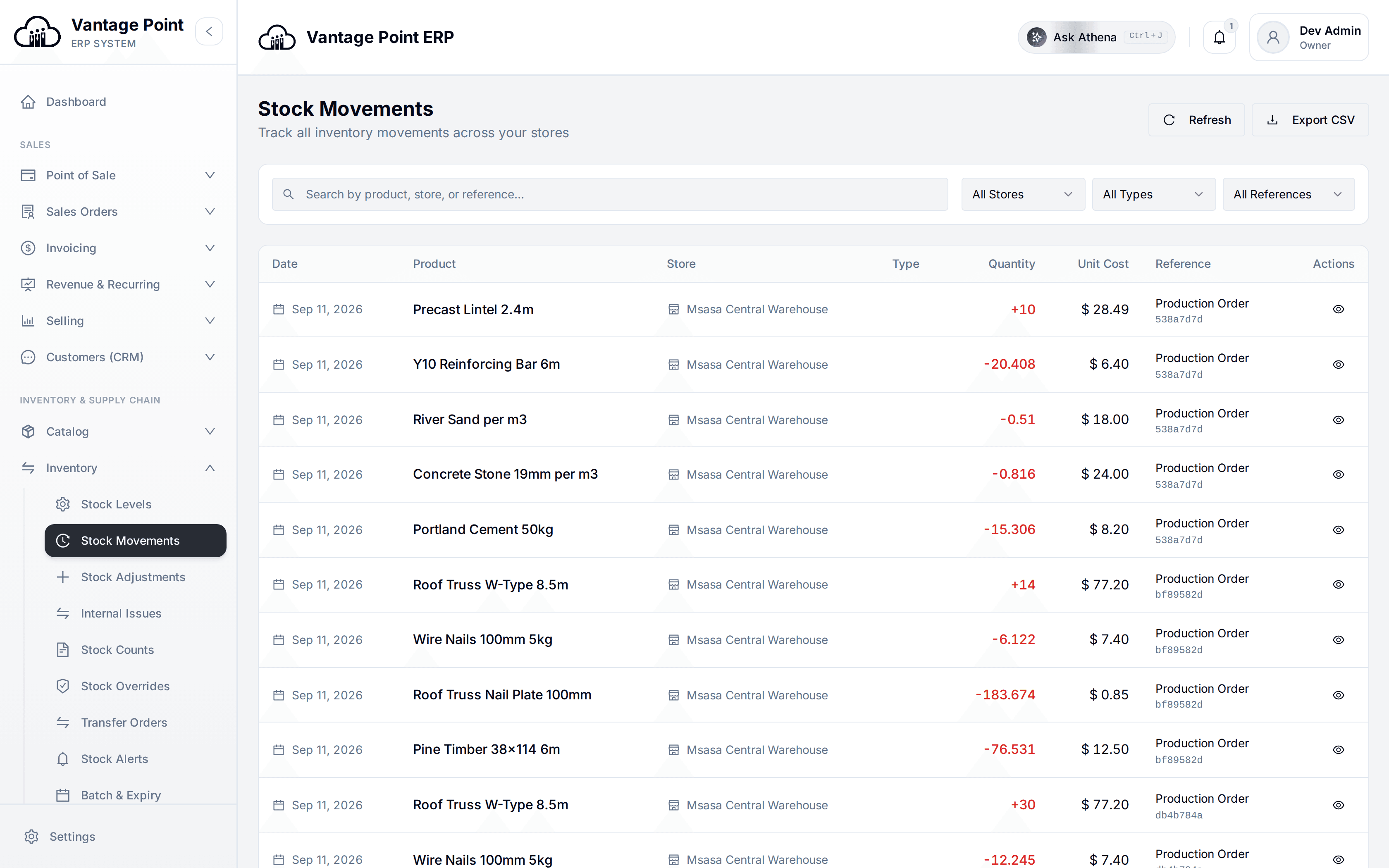
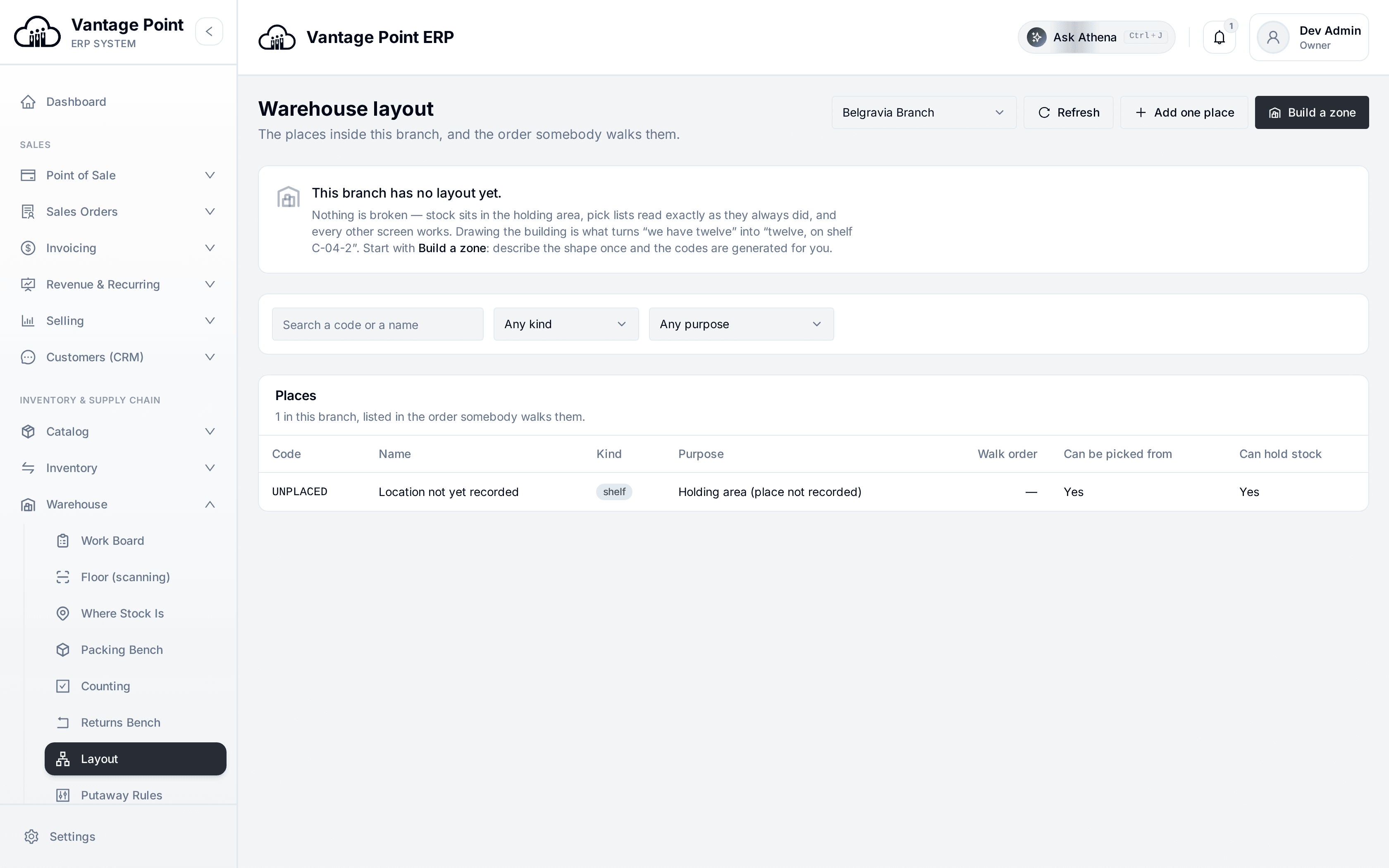
There are two separate questions about stock and most systems only answer the first. How much have we got is an accounting question, answered by a quantity and a value. Where exactly is it is a physical question, answered by a building, an aisle and a bin. Vantage Point tracks place as its own ledger and reconciles it against the money rather than assuming the two are the same thing — which is why a count can find a discrepancy instead of hiding one.
Stock is live across every store and warehouse, with minimum, reorder and maximum levels set per product and per location so that alerts arrive before you run out rather than after. Goods that need identity get it: batch and lot numbers are held on the cost layer itself with first-expired-first-out picking, expiry alerts and a recall trace that can find every unit that was sold from a given batch. Serial numbers give unit-level identity where individual items have to be traced.
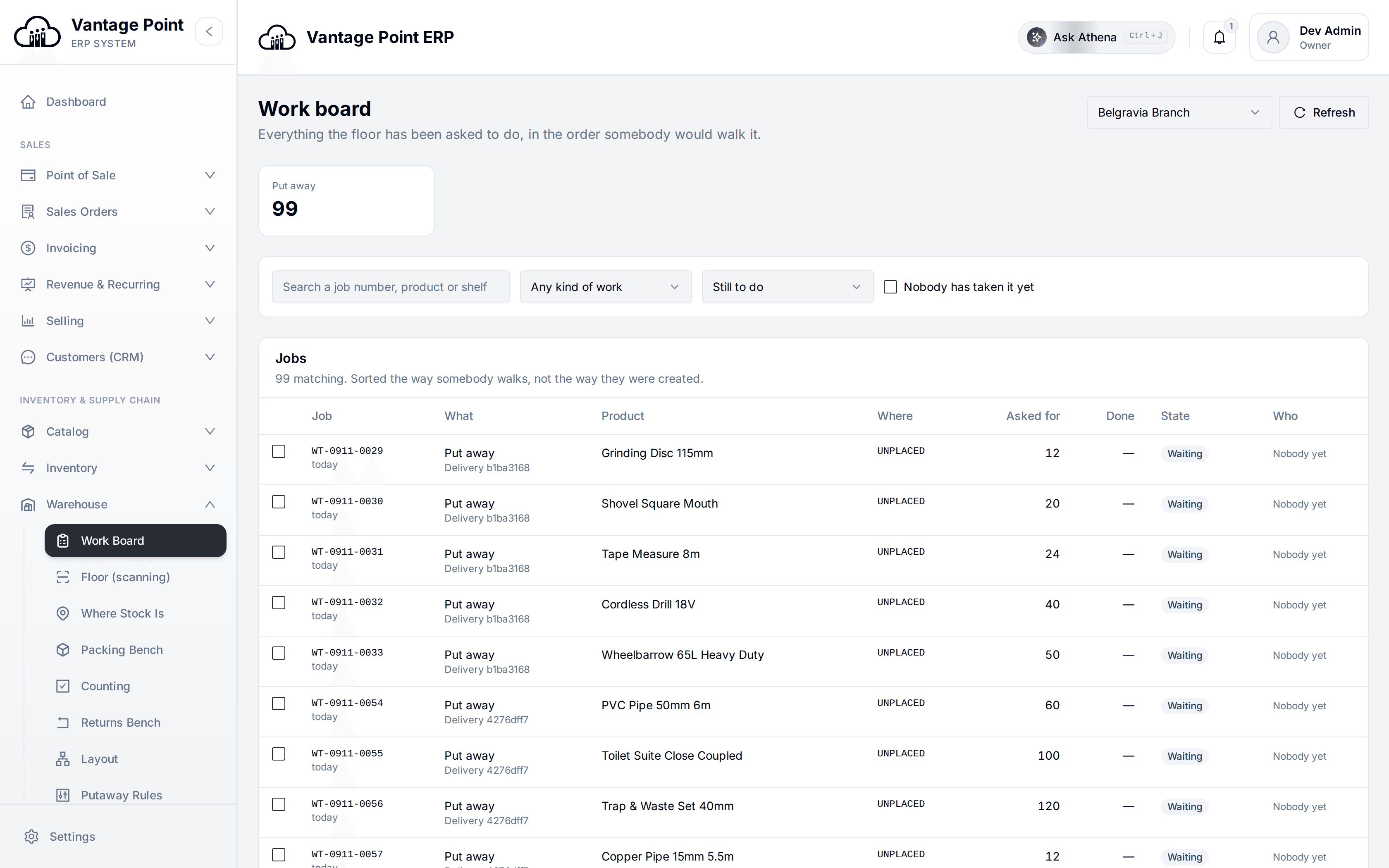
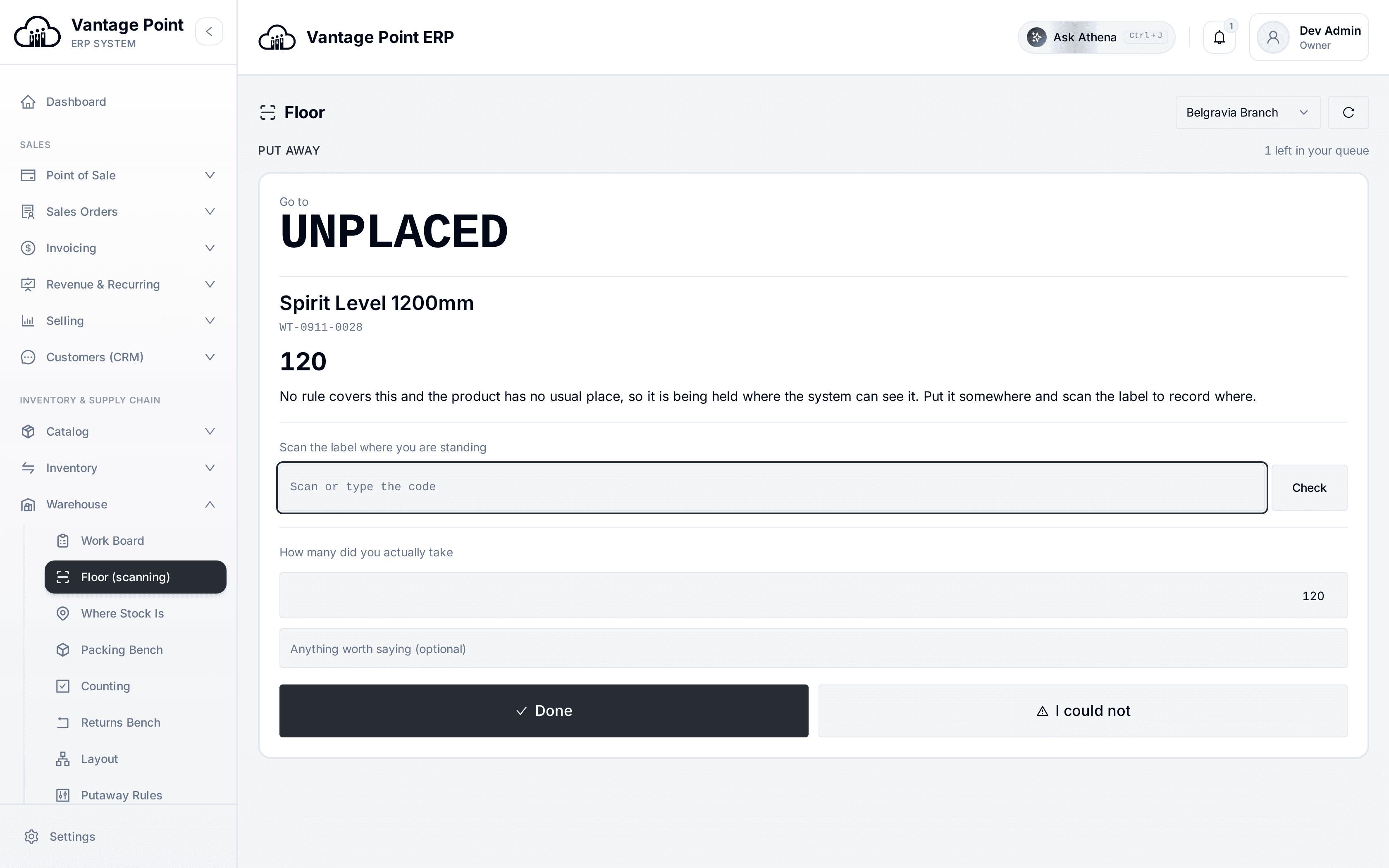
For the people on the floor, the whole thing is driven by a scanner. Picking, putaway, counting and packing all run from a scanner-first screen so that nobody types a product code into a phone while holding a box. Stocktakes can be done by scan or by uploaded spreadsheet, and approving a count commits the variance to both the stock records and the ledger in one step. Valuation runs on first-in-first-out cost layers per store, and when a cost moves, affected selling prices land in a review queue instead of going stale.
How much have we got, and where exactly is it.
Inventory answers the first question and the warehouse module answers the second. Place is tracked as its own ledger and reconciled against the money, never bolted onto it.
Inventory & Warehouse, asked and answered.
Can it track stock across several shops and warehouses?
Yes. Stock is held per location, so each store and warehouse has its own quantities, its own reorder levels and its own valuation, and transfer orders move goods between them with the ledger following the movement.
Does it handle batch numbers and expiry dates?
Yes. The batch is recorded on the stock layer itself, picking follows first-expired-first-out order, alerts warn ahead of expiry, and a recall trace can list every unit sold from a particular batch.
Can I use a barcode scanner in the warehouse?
Yes. Picking, putaway, counting and packing all have a scanner-first screen designed so the person on the floor scans rather than types, which is both faster and the main defence against wrong-item errors.
How is stock valued?
On first-in-first-out cost layers held per store, so cost of sales reflects what the goods actually cost rather than an average. A method comparison is available, and a consumption variance report highlights waste and shrinkage.
How does a stocktake work?
Counts can be entered by scanning or by uploading a spreadsheet. The count is reviewed against what the system expected, and approving it commits the variance to the stock records and posts the corresponding entry to the ledger in the same step.
Can I sell in packs and cartons but hold stock in single units?
Yes. Each product has one stock unit, with packs and cartons defined as multiples of it. The unit that was actually entered is recorded on the line, so a later change to the pack size cannot rewrite the history of past transactions.
The rest of the system.
ONE LEDGER UNDERNEATH IT ALLTake the high ground.
Set up your first store, till and ledger in an afternoon.